


How to Deactivate FASTag Account
The FASTag readers present at toll-plaza scan the barcode and the toll charges get automatically deducted from your FASTag account. Hence, you can drive through the FASTag lane without stopping. In case you are selling your car or transferring the vehicle's ownership, it is important to deactivate the FASTag.
Why Deactivate Your FASTag Account?
Every FASTag is associated with a payment account. In case you don't deactivate the FASTag while selling or transferring the car, you might keep getting charged for the toll payments made by the new user. Moreover, each FASTag is linked to a specific vehicle. In such a scenario, the new user will not get a new FASTag for the same vehicle until and unless you deactivate your FASTag.
When to Deactivate FASTag Account?
There are several situations where you may need to deactivate your FASTag. The major scenarios for deactivating a FASTag account are as follows:
- Vehicle Sale: When you sell your vehicle, you are required to deactivate your FASTag linked to the vehicle. This is done to prevent the new owner from accessing your FASTag.
- Opting for a New Provider: There are many FASTag providers. If you decide to switch from one provider to another, you will have to deactivate the old one before activating a new one with a different provider.
- Incidents of Vehicle Theft: If your vehicle gets stolen, it is important to deactivate the FASTag linked to that vehicle. Deactivating the FASTag ensures that it cannot be misused for toll payments.
- Account Closure: It is also reasonable to close the FASTag if the vehicle linked to it is no longer used on highways.
- Duplicate FASTag Accounts: In case there are multiple FASTag accounts linked to the same vehicle due to errors in issuance, it is necessary to deactivate the duplicate ones.
- Scrapped Vehicle: If the vehicle is scrapped or decommissioned, it is necessary to deactivate the FASTag account.
- Accidental Damage to the Windshield: If the vehicle sustains damage to the windshield in an accident, it may affect the FASTag. In that case, it is required to deactivate the old FASTag and get a new one.
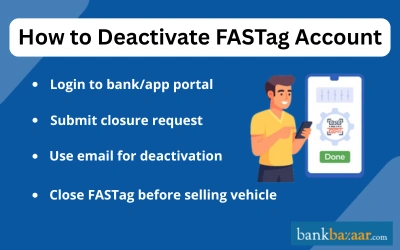
How to Close a FASTag Account?
- Reach out to your FASTag issuer through customer care or email.
- Provide necessary details including your vehicle registration number, FASTag ID, and reason for closure.
- Request a refund for any remaining balance in your FASTag account.
- Receive confirmation of account closure via SMS, email, or the issuer’s portal.
Note: The process may vary depending on the issuer. For guidance, visit your issuer’s official website or call 1033.
How to Deactivate FASTag from Various Providers?
FASTag is issued by various banks, and each provider has its own deactivation process. Here’s a simple guide to help you deactivate FASTag with major providers:
How to Deactivate Axis Bank FASTag?
There are two ways to deactivate the FASTag issued by Axis Bank:
- Write a FASTag cancellation request from your registered email address and submit it on etc.management@axisbank.com
- Call the bank's customer care number (18004198585), and raise a request for FASTag deactivation.
How to Deactivate HDFC Bank FASTag?
Follow the steps mentioned below to deactivate the FASTag issued by HDFC Bank:
Step 1: Using the User ID / Wallet ID and password, log in to FASTag portal.
Step 2: Choose the option of Service Request.
Step 3: Select the Generate Service Request option.
Step 4: Choose the Request Type as Closure Request to close the RIFD Tag or Wallet.
You can also call on bank's customer care number (18001201243), and raise a request for FASTag deactivation.
How to Deactivate Airtel Payments Bank FASTag?
To deactivate the FASTag issued by the Airtel Payments Bank, you can call the bank's customer care number 400 or 8800688006, and raise a request for FASTag deactivation.
How to Deactivate Paytm FASTag?
Follow the steps mentioned below to deactivate the FASTag issued by Paytm:
Step 1: Sign in on the Paytm app.
Step 2: Navigate to the 24x7 Helpdesk option.
Step 3: Choose the type of issue.
Step 4: Raise/add your request to close the FASTag account.
Post-Deactivation Steps
After going through the required steps to successfully deactivate a FASTag, there are a few more things that need to be taken care of. They are as follows:
- Account Closure Status: It is important to check the FASTag account status either by visiting the website or app once you have deactivated the account. If you are checking via apps, a “Closed” status must be visible.
- Remove the FASTag Sticker: One of the most important things to do after deactivating the account is to remove the sticker from your vehicle’s windshield. Ensure that you remove it properly without leaving any residue before applying the new sticker.
- Confirm Refund: If you have any leftover balance in your old account at the time of deactivation, it is necessary to contact the provider for a refund. You will receive the balance in a few days.
- Keep Records: It would be beneficial to keep track of deactivation confirmations from the provider for future reference. This can be helpful in case of any disputes or when selling the vehicle.
Conclusion:
Deactivating your FASTag account is a simple process as long as you follow the right steps for your specific provider. Whether you are selling your vehicle, switching providers, or closing an unused account, it can be done easily through a call, email, or mobile app. Make sure to complete all post-deactivation steps to keep your account fully closed and protected from any future misuse.
FAQs on How to Deactivate/Close FASTag Account
1.Is it possible to temporarily deactivate the FASTag account?
Yes, it is possible to temporarily deactivate the FASTag account. To be able to do so, you need to contact the FASTag provider's customer care number and raise a request for the same.
2.What are the consequences of selling the car with an active FASTag account?
If you sell your car with an active FASTag account, you would keep getting charged for the toll-payments made by the new user.
3.How can I deactivate my FASTag account?
You can deactivate your FASTag by contacting your bank or wallet provider’s customer care or by logging into your FASTag account and raising a closure request.
4.Is FASTag deactivation possible through customer care?
Yes, you can call your provider’s customer care number or the NHAI helpline (1033) to request FASTag deactivation.
5.Is it possible to deactivate the FASTag account online?
If your FASTag provider gives the facility of online account deactivation, then you can deactivate it online.

Kankana Mukherjee is an engineer and has over 4.5 of experience in content writing. Combining the expertise in financial content writing achieved in her 2 years association with BankBazaar, and a knack for clear and engaging content, Kankana simplifies complex financial concepts and offers practical insights to help readers make informed decisions and achieve financial success.

Disclaimer
Credit Card:
Credit Score:
Personal Loan:
Home Loan:
Fixed Deposit:


Copyright © 2026 BankBazaar.com.