


Canara Bank Net Banking – Registration & Features
Canara Bank's online banking platform allows customers to manage their accounts, transfer funds, pay bills, open term deposits, and perform many other banking activities all from the comfort of their home or office.

Customers can check their account activity and conduct transactions via Net-Banking from the comfort of their home or place of business. Canara BillPay is a one-stop shop for all types of bill payments, available to Canara Bank customers.
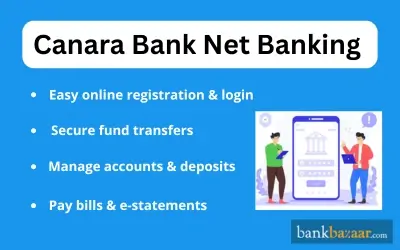
Features of Using Canara Bank Net Banking
The main features of the net banking facility offered by Canara Bank are mentioned below:
- Account management.
- ATM services.
- Investment services.
- Apply for a loan online.
- E-statements can be downloaded.
- Net banking app is available.
- You can shop online.
- You can pay bills online.
- Funds can be transferred.
- Account balance can be checked.
How to Register for Canara Bank Net Banking?
If you want to register for Canara Bank's Internet Banking, you will be required to follow the below-mentioned process:
- Visit Canara Bank Official Website.
- Click on ‘Net Banking – Login'.
- Click on ‘Net Banking – Login (Retail & Corporate)’.
- Select ‘New User Registration’.
- Click on ‘I Agree’.
- Enter all the relevant details on the next page.
- Click on ‘Sent OTP’.
- An OTP will be sent to the registered mobile number.
- Click on ‘Submit’ to complete the process.
Note:
- You can unlock your User ID by clicking on 'Unlock User ID'
- If you have forgotten your User ID, simply click on 'Forgot User ID'
How to Check Account Balance Through Canara Bank Internet Banking?
Given below are the steps you will have to follow to check your Account Balance through Canara Bank net banking facility:
- You will be required to login to your net banking account using the accurate credentials.
- Go to the 'Account Details' area after logging in. The account data for the current account, savings account, recurring deposit account, and overdraft account that you have selected can be seen here.
- Further, you can click on the link provided to your account summary to know the balance.
How to Transfer Funds Through Canara Bank Internet Banking?
Transferring funds through the Net Banking facility is very simple and can be done by following the below-mentioned procedure:
Funds Transfer into Own Account
- Select 'Funds Transfer'. The option can be found under the Funds Transfer menu.
- The Funds Transfer page will appear next. In this instance, by default, the source and destination account numbers will match.
- Change the source account number by clicking on the dropdown menu.
- Change the destination account number by clicking on the dropdown menu.
- Note that the source and the destination account number in this case cannot be the same. Your system will show an 'Error' if they are the same.
- In the next step, enter the amount that you desire to transfer. Make sure that the amount you enter is either equal to or less than the balance amount displayed by the system.
- Click on the 'Transfer' button. Thereafter, you must enter your transaction password twice on the displayed transaction password screen.
- Enter your present transaction password twice. Make sure that you do so accurately.
- Click on the 'Submit' button.
- In case your transaction password is incorrect, an 'Invalid PIN' message will be displayed.
- Thereafter, a Funds Transfer screen for verification will be displayed by the system. In this step, you will be required to verify all the details and click on the 'Confirm' button.
- Your system will then show a transfer confirmation screen with information like the transaction confirmation number, the received date, and other details.
- For future use, write down the transaction number.
Third Party Funds Transfer
- Select 'Funds Transfer' given under the Funds transfer menu.
- The Third-Party Funds Transfer screen will be displayed on the page that appears next. The source account number herein is your account number.
- Against the beneficiary box, click on the dropdown menu to choose the beneficiary you want to transfer funds to.
- The destination account number will be automatically displayed depending on the beneficiary chosen by you.
- If you want to add a beneficiary, select the option 'others' from the dropdown menu and enter the desired account number.
- Thereafter, enter the desired amount that you want to transfer. Make sure that the amount you enter is either equal to or less than balance amount displayed by the system.
- In the next step, enter the transfer description.
- Click on the 'transfer' button in the next step to proceed with the transaction.
- A Funds Transfer verification screen will be displayed on the page that appears next.
- You must cross-check all the details mentioned on this page and click the 'Confirm' button.
- Once this is done, the system will display the transaction password screen. Herein, you will be required to enter the transaction password twice.
- Once you have entered the password twice, hit the 'Submit' button.
- Following a successful transaction, the next step will provide a transaction confirmation screen with the transferred amount, destination account holder's name, transaction confirmation number, and other details.
Transaction Limits for Canara Bank Internet Banking
Transaction Type | Transfer Limit |
RTGS | Minimum amount to be remitted - Rs.2 lakh |
NEFT | No upper or lower value limit |
Others Banks Offering Net Banking in India :
Steps to Reset Canara Bank Internet Banking Password Online:
The steps to reset Canara Bank net banking online are listed below:
Step 1: Visit the internet banking page of Canara Bank.
Step 2: Click on the ‘Create/Reset Login Password’ option.
Step 3: You will be redirected to a new page where you need to enter details such as your user ID, date of birth, account number, etc.
Step 4: Enter the new password and then re-enter it for confirmation.
Step 5: Enter the captcha displayed on the screen.
Step 6: Click on the ‘Submit’ option.
Steps to Reset Canara Bank Internet Banking Password Offline:
If you want to reset the password for your Canara Bank internet banking account offline, follow the steps mentioned below:
Step 1: Visit the nearest branch of Canara Bank.
Step 2: Request an internet banking form.
Step 3: Enter all the requested information and submit the form.
Step 4: Upon verification of your form, a new password will be created. The bank will mail the new password to your registered address.
Savings Account Pages
- SBI Quick - Missed Call Banking
- Best Zero-Balance Savings Account For Indian Citizens
- SBI Savings Account
- Internet Banking
- How to Activate SBI SMS/Mobile Banking for the First Time
- Documents Required to Open Bank of Baroda Savings Account
- Steps to Open Punjab National Bank Savings Account
- Steps to Open HDFC Bank Savings Account
- SBI Salary Account
- SBI Savings Account For Minors
- SBI Basic Savings Bank Account
- Generating MPIN for Indian Overseas Bank Mobile Banking
- What is Inactive or Dormant Bank Account?
- Kotak 811
- HDFC Bank Salary Account
- Steps to Link Aadhaar card to Bank of Baroda Savings Account
- Union Bank of India Regular Savings Bank Account
- IRCTC eWallet
- India's Top 5 Mobile Banking Apps
- PNB SMS Banking Services
- Steps to Link Aadhaar card to Central Bank of India Savings Account
- Steps to Open Axis Bank Savings Account
GST of 18% is applicable on all banking products and services from July 1, 2017 onwards.
FAQs on Canara Bank Net Banking
1.Who is eligible to register for Canara Bank Net Banking?
All customers who maintain an account with any branch of Canara Bank can register for the Net Banking facility. Application for registration will be done at the bank branch itself.
2.How can I get the Canara Bank Net Banking registration form after opening a Savings Account?
You can collect the Net Banking registration form from any Canara Bank branch or download it from the official Canara Bank Net Banking homepage.
3.Are there any charges applicable for the use of the Net Banking facility?
Net Banking is free for all Canara Bank account holders. However, charges apply for certain services like fund transfers and non-maintenance of minimum balance.
4.Is Canara Bank Net Banking available for NRIs?
Yes, NRIs with Canara Bank accounts can access Net Banking from anywhere in the world.
5.What is a Canara Bank Net Banking User ID?
The User ID is a unique number assigned by Canara Bank, found on your passbook or bank statement, used for Net Banking login.
6.Can I have multiple Canara bank accounts with the same User ID?
Yes, you can have multiple Canara bank accounts with the same User ID provided both these accounts are linked to the same registered mobile number.
7.How can I get my Canara Bank Net Banking User ID and Password?
Submit a Net Banking application at your branch. After processing at the Central Processing Centre, your User ID and password will be sent to your registered address by mail.
8.How do I add beneficiaries for transfers in Canara Bank Net Banking?
Log in, go to 'Payments' → 'Beneficiary Maintenance' → 'Transfer'. Select 'Create Beneficiary Template', fill in the required details, and save.
9.Do I need to pay any additional charges to access the Canara bank’s net banking facility?
No, you need not pay any additional charges to access the Canara bank’s net banking facility.

Karishma VP has over a decade of experience in content writing which includes over five years specializing in personal finance. Her career in BankBazaar has given her the opportunity to write on a wide variety of financial products ranging from credit cards and home loans to insurance policies and government schemes. She believes that an understanding of personal finance is an important step to leading an independent, empowered life. This has led to her being passionate about learning more about the BFSI sector and writing about personal finance as clearly, concisely, and accurately as possible to make it accessible to a larger audience through BankBazaar.

Disclaimer
Credit Card:
Credit Score:
Personal Loan:
Home Loan:
Fixed Deposit:


Copyright © 2026 BankBazaar.com.